

How to Protect Your Business Data from Loss and Cyberattacks
In today’s digital business environment, data has become one of the most valuable assets for any company. It includes work files, databases, customer information, financial systems, and important documents.
However, this data can be lost at any time due to hardware failure, human error, cyberattacks, or other unforeseen events.
For this reason, regular data backup has become an essential part of any cybersecurity strategy and IT management plan within modern organizations.
Data backup is not just about storing an extra copy of files; it is a guarantee for business continuity and protection of your company’s digital assets.
What Is Data Backup?
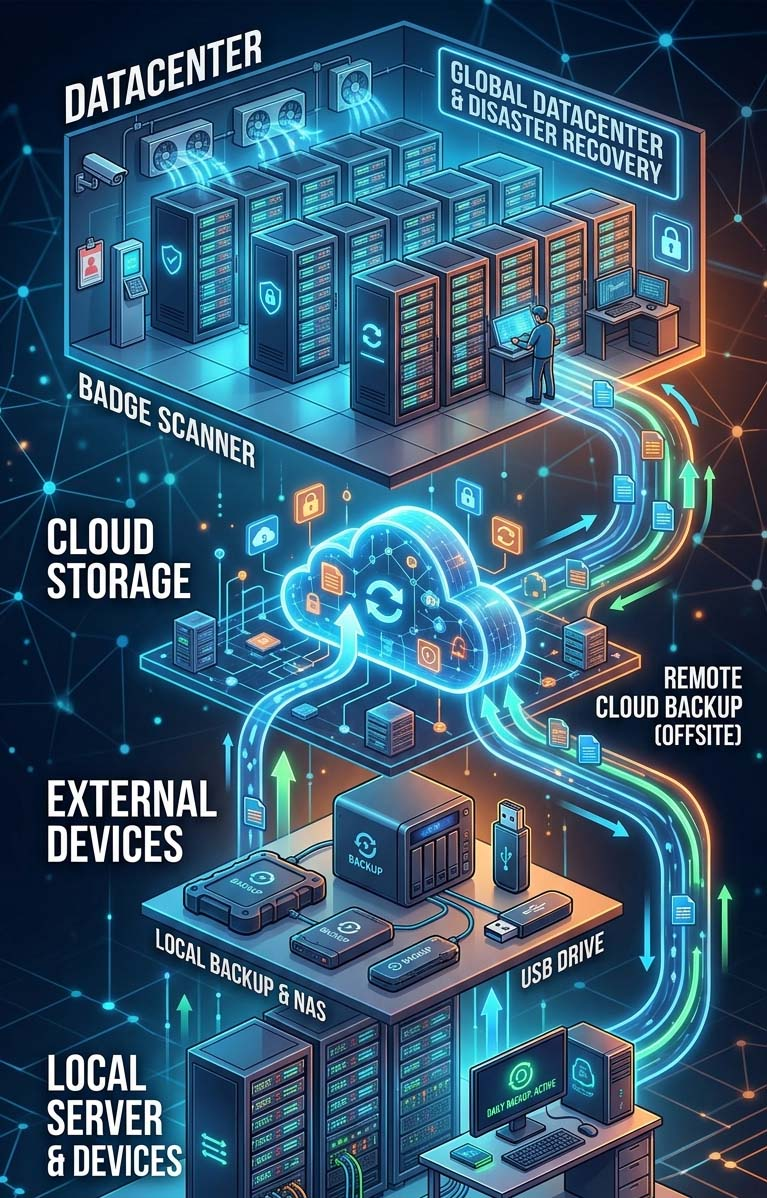
Data backup is the process of creating an additional copy of your data and storing it in a secure location so it can be restored if the original data is lost.
Backups can be stored in several locations, including:
📍 Local servers.
↗️ External storage devices
🌐 Cloud servers
🏢 Centralized storage systems within the organization
Data backup acts as a digital insurance policy for your information, ensuring that your business can recover important data whenever needed.
Why Do Businesses Need Regular Data Backup?
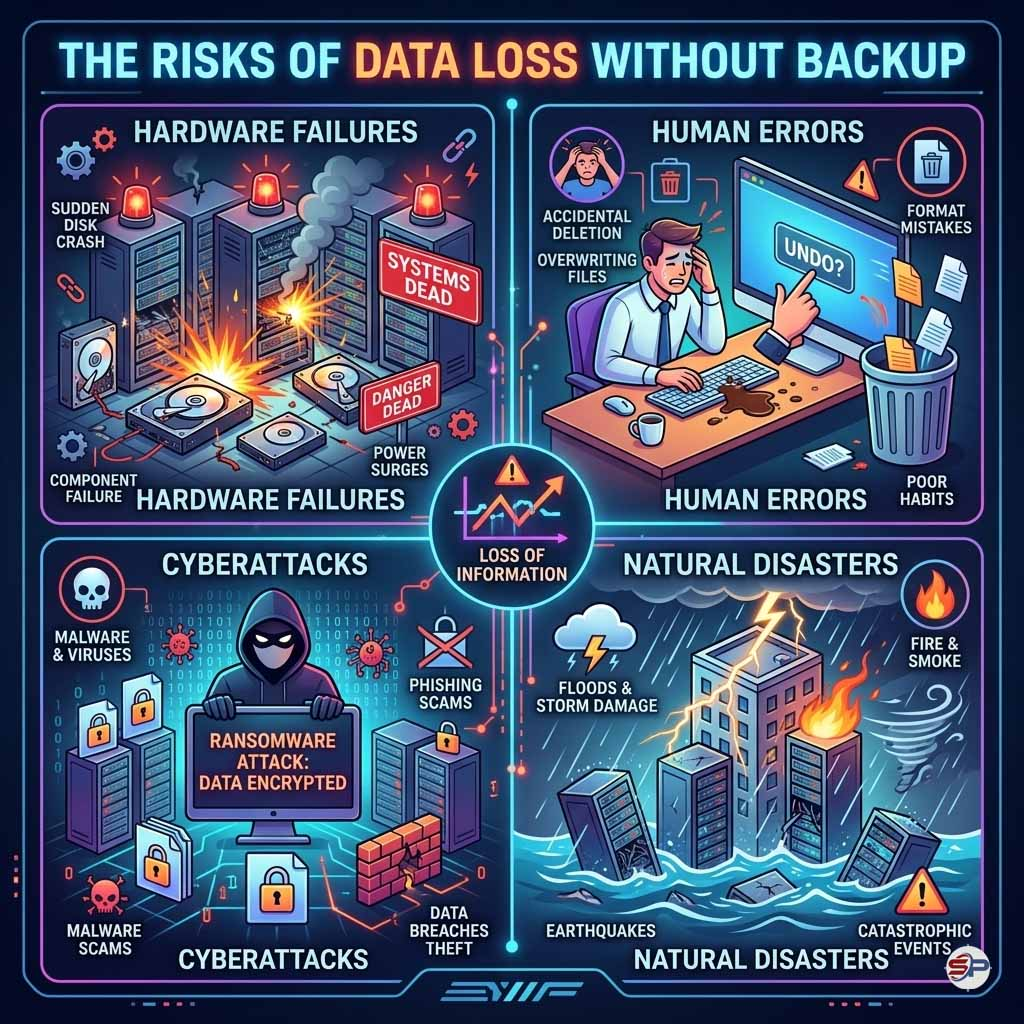
Risks of Data Loss Without Backup
Many factors may lead to data loss, including:
Having a recent backup allows businesses to restore their systems quickly and resume operations with minimal disruption.
The Importance of Centralized Data Backup?
Many modern organizations rely on centralized data systems, where all data is stored and managed in one unified platform.
This approach offers several key advantages.
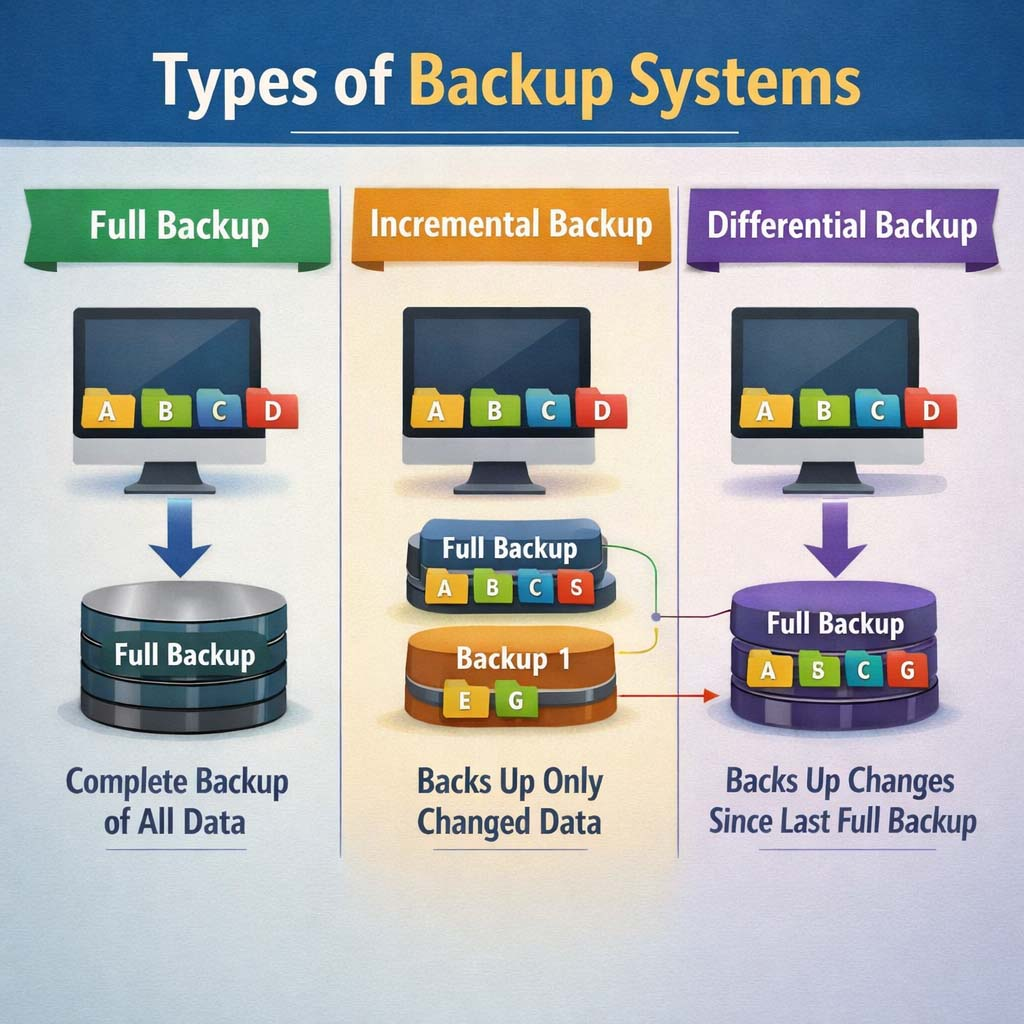
Types of Data Backup
There are several backup methods used in IT systems, each designed for specific situations.
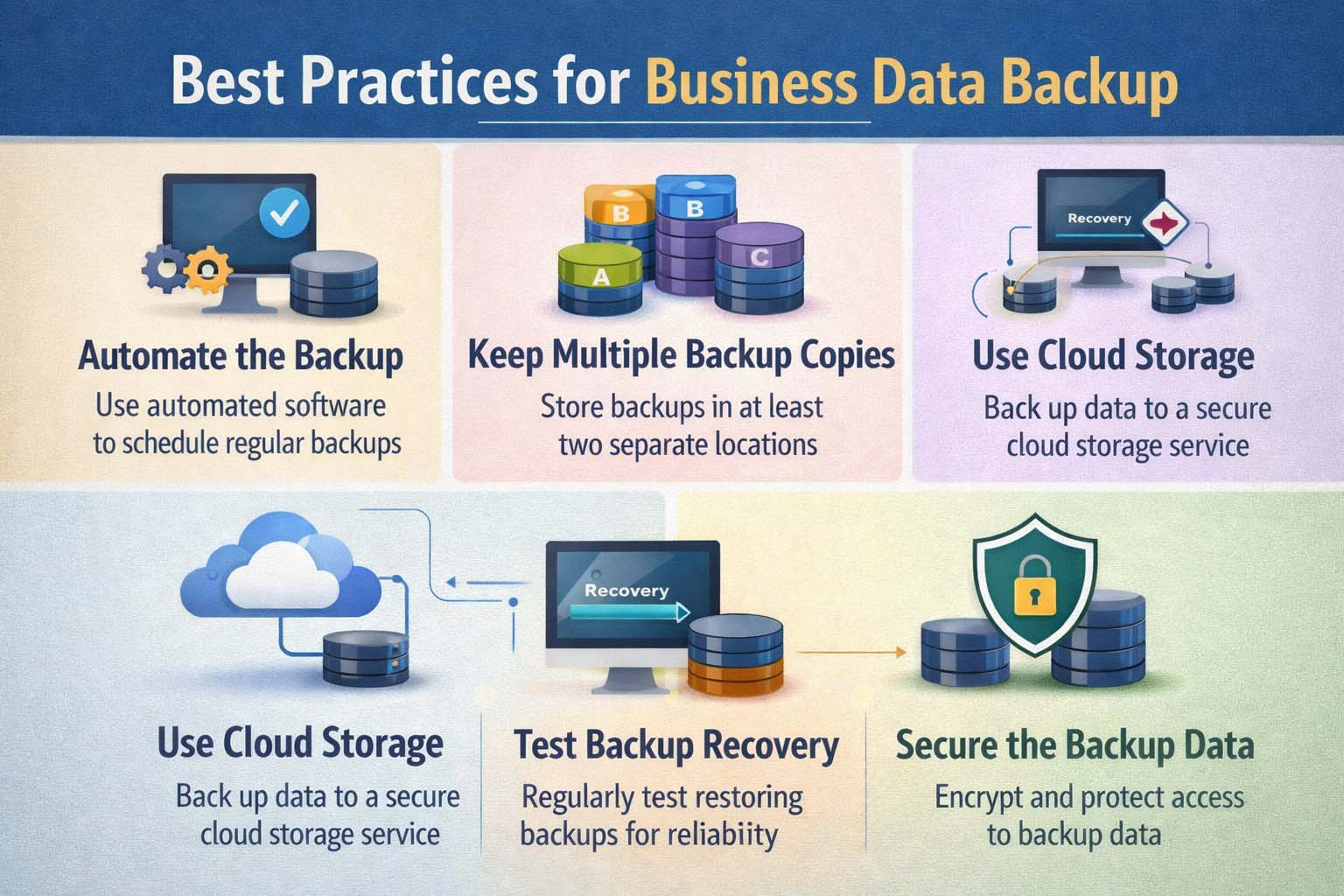
Best Practices for Business Data Backup
To ensure effective protection of company data, businesses should follow these best practices.
The Relationship Between Backup and Cybersecurity
Data backup is considered one of the most important elements of cybersecurity for organizations.
If a system is attacked by threats such as:
Ransomware, Server breaches, Data deletion
Companies can restore their data quickly from backup copies without paying ransom to attackers.
That is why large enterprises rely on strong backup strategies as a core part of their cybersecurity infrastructure.
Data backup is not just about storing an extra copy of files; it is a guarantee for business continuity and protection of your company’s digital assets.

Related Articles